
Philips TV Remote 2k112.0 - Google Play
You'll be able to see results in few seconds.
Publisher Description
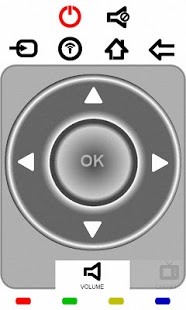
Philips TV Remote is designed for use on the 2k11 Philips NET TV models. The main purpose is to replace the standard remote controls.
Please READ carefully configuration steps listed below!
This is a light-weighted Application, with a very easy to use interface. It allows to control the following functions:
- Volume Up/Down (use the scroll wheel or phone volume keys)
- Navigation cursors
- Media Player control
- Ambilight control (use scroll wheel to change color), also with automatic color changing control.
- Internet mode with full landscape and user friendly keyboard.
- Channel Change(used scroll wheel)
- and much more...
Note that for keyboard mode to function properly, you have to set TV menu language to English. In case your TV languages settings are different than English, you may purchase a 2k11 Key Mapping plug-in available for other menu languages.
This plug-in is available at:
https://play.google.com/store/apps/details?id=pt.teixeira.tvcontrol.philips.language.plugin2k11
This App controls the TV via jointSpace http commands.
An initial tv setup is required for all commands to work accordingly:
Step 1.
If you are not sure if your tv is a 2k11 model, please check the following link:
http://www.supportforum.philips.com/en/showthread.php?593-Net-TV-models
Step 2.
If your TV is not listed in above mentioned list, App will not work.
If you have a 2k10 model, note that not all commands are supported!
TV's produced before 2009 can NOT use this App!
Step 3.
The TV needs to be activated to accept Remote Applications (one time operation)
For that you need to enter the following keys sequence from the TV remote control, for e.g. while watching TV:
5646877223 (="jointspace" using multitap digit entry)
Make sure this is activated, otherwise your app won't be able to communicate with your TV!
Step 4.
Change/Get the IP setting of your TV. It is recommended to use a static IP address.
To check or set TV IP address, follow the sequence: Press HOME button >> Setup >> Network Settings >> IP Configuration >> IP Address.
Note down the IP number for further settings in you App.
Step 5.
Enable Wifi on your phone and Start your App. You will be prompt to input your TV IP address (one time operation). Your app is ready to use!
About Philips TV Remote 2k11
The company that develops Philips TV Remote 2k11 is Luis Teixeira. The latest version released by its developer is 2.0.
To install Philips TV Remote 2k11 on your Android device, just click the green Continue To App button above to start the installation process. The app is listed on our website since 2012-07-29 and was downloaded 0 times. We have already checked if the download link is safe, however for your own protection we recommend that you scan the downloaded app with your antivirus. Your antivirus may detect the Philips TV Remote 2k11 as malware as malware if the download link to pt.teixeira.tvcontrol.philips is broken.
How to install Philips TV Remote 2k11 on your Android device:
- Click on the Continue To App button on our website. This will redirect you to Google Play.
- Once the Philips TV Remote 2k11 is shown in the Google Play listing of your Android device, you can start its download and installation. Tap on the Install button located below the search bar and to the right of the app icon.
- A pop-up window with the permissions required by Philips TV Remote 2k11 will be shown. Click on Accept to continue the process.
- Philips TV Remote 2k11 will be downloaded onto your device, displaying a progress. Once the download completes, the installation will start and you'll get a notification after the installation is finished.
Program Details
System requirements
Download information
Pricing
Version History
version 2.0
posted on 2012-07-29
Added Troubleshoot Guide.,Added key Mapping for the following Languages:,Arabic,Bulgarian,Greek,Russian,Ukrainian,Added Special Keyboard for the following Languages:,Argentinian Spanish (QUERTY ES),Brazilian Portuguese (QUERTY PT),Bulgarian (CYRILLIC),French (AZERTY),German (QUERTZ),Greek (GREEK),Kazakh (CYRILLIC),Portuguese (QUERTY PT),Russian (CYRILLIC),Spanish (QUERTY ES),Ukrainian (CYRILLIC)
version 2.0
posted on 2012-07-29
Several fixes and updates
Disclaimer
Official Google Play Link
We do not host Philips TV Remote 2k11 on our servers. We did not scan it for viruses, adware, spyware or other type of malware. This app is hosted by Google and passed their terms and conditions to be listed there. We recommend caution when installing it.
The Google Play link for Philips TV Remote 2k11 is provided to you by apps112.com without any warranties, representations or guarantees of any kind, so access it at your own risk.
If you have questions regarding this particular app contact the publisher directly. For questions about the functionalities of apps112.com contact us.
